


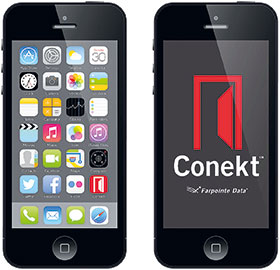
Smartphones fulfill many needs, including telephone, camera, navigation, music, video, clock, news, calculator, email, Internet, gaming, contacts, and more. Security professionals creating access control systems need to be aware that 95+% of all adults aged 18-44 years own smartphones. Plus, 69% of the entire population already uses smartphones. That’s babies through to seniors. And the average smartphone user touches their device 2617 times a day (Dscout Research).

Thus practically anyone using an access control system already carries a smartphone. Another way to look at it is that every smartphone user, or almost everybody, could now easily download an access control credential.
Mobile credentials are smartphone-based versions of traditional RFID cards and tags. Mobile credentials make it possible for smartphones, such as the iPhone and the range of Android devices, to be used as an electronic access control credential.
No longer will people need various physical credentials to move throughout a facility. Instead, a person’s iPhone or Android smartphone, which they carry with them wherever they go, will have the credentials they need to enter into any authorised access system. In fact, such a system can reach beyond the facility into their homes, their automobiles or at the gym.
“Mobile has already disrupted so much in both our personal lives and the enterprise, but we are still tapping an old school badge on a door access reader,” David Anthony Mahdi, research director at Gartner Research says. “It’s a dichotomy. On one side we are doing all these amazing things with our phones but then we are still using 20-plus year-old technology to get into our buildings.”
Referred to as mobile or soft, smartphone-based access control credentials are another version of traditional RFID cards and tags, joining proximity and smartcard credentials to support a user as she moves about a secured facility. Gartner suggests that by 2020, 20 percent of organisations will use mobile credentials for physical access in place of traditional ID cards. Soft credentials provide several advantages over hard credentials. They are more convenient, less expensive and more secure. This is true for both end-users and installers.
They are more convenient because the user already has his credentials and already carries it with him wherever he goes. Credentials can be delivered to the end-user in either paper or electronic form, such as via email or text. The dealer has nothing to inventory and nothing to ship. Likewise, the user sponsor has nothing to store, nothing to lose and faces no physical replacement hassles. Costs are lowered as nobody must undertake ‘1sy-2sy’ replacement orders.
Original soft access control systems are already being used by innovators – approximately 5% of users, according to Gartner. There were the typical drawbacks with a new technology. Before they switched to soft credentials, the next wave of users had requested smartphone solutions that eliminated many of the frustrations that they discovered with their original smartphone apps and hardware, the main one being complicated implementation practices. The newer solutions provide an easier way to distribute credentials, with features that allow the user to register only once and need no other portal accounts or activation features. By removing these additional information disclosures, vendors eliminated privacy concerns that have been slowing down acceptance of mobile access systems.
One additional concern held back some buyers. What if the baby boomers at our facility don’t have a smartphone? Problem solved. Just be sure that your soft credential reader can also use a smartcard.
Technical stuff
Just like hard credentials, soft credentials can support the 26-bit Wiegand format along with custom Wiegand, ABA Track II magnetic stripe and serial data formats. They can be ordered with specific facility codes and ID numbers. They are delivered in the exact number sequence ordered with no gaps and no under- or over-runs.
Two technologies are used – Bluetooth and NFC (Near Field Communication). Bluetooth readers are less expensive because almost every smartphone already has Bluetooth. Not even 50% of all smartphones yet have NFC.
Bluetooth’s other big advantage is read range – up to 30 feet. Plus, installers can provide adjustable read ranges and differ them for various applications. For instance, they could be six inches at the computer access control reader but 24 inches at the front door. When entering the facility gate, a still longer read range, perhaps six feet, can be provided so users don’t have to open their car window to reach the reader. NFC readers only operate with a read range of a few inches, that of a proximity card, eliminating any possibilities of simply leaving the smartphone in the pocket or purse and still get reads.
Security concerns
Many companies still perceive that they are safer with a card, Gartner’s Mahdi notes, but if done correctly, the mobile can be a far more secure option with many more features to be leveraged. Handsets deliver biometric capture and comparison, as well as an array of communication capabilities, from cellular and Wi-Fi to Bluetooth LE and NFC, he adds.
Bottom line – both Bluetooth and NFC credentials are safer than hard credentials. Read range difference yields a very practical result from a security aspect. A Bluetooth reader can be installed on the secure side of the door while NFC must be mounted on the unsecured side.
As far as security goes, the soft credential, by definition, is already a multi-factor solution. Mobile credentials remain protected behind a smartphone’s security parameters, such as biometrics and PINs. Once a biometric, PIN or password is entered to access the phone, the user automatically has set up 2-factor access control verification – what you know and what you have, or what you have and a second form of what you have.
To emphasise, one cannot have access to the credential without having access to the phone. If the phone doesn’t work, the credential doesn’t work. The credential works just like any other app on the phone. The phone must be ‘on’.
Leading readers additionally use AES encryption when transferring data. Since the Certified Common Criteria EAS5+ Computer Interface Standard provides increased hardware cybersecurity, these readers resist skimming, eavesdropping and replay attacks. With the US Federal Trade Commission (FTC), among others, now holding the business community responsible for implementing good cybersecurity practices, such security has become an increasingly important consideration.
If the new system leverages the Security Industry Association’s (SIA) Open Supervised Device Protocol (OSDP), it also will interface easily with control panels or other security management systems, fostering interoperability among security devices. Likewise, check if the new soft system requires the disclosure of any sensitive end-user personal data. All that should be needed to activate newer systems is the phone number of the smartphone.
Lastly, once a mobile credential is installed on a smartphone – it cannot be re-installed on another smartphone. Think of a soft credential as being securely linked to a smartphone. If a smartphone is lost, damaged or stolen, the process should be the same as with a traditional physical access credential. It should be immediately deactivated in the access control management software – with a new credential issued as a replacement.






© Technews Publishing (Pty) Ltd. | All Rights Reserved.
 printer friendly version